Understanding Google Search Console: A Complete Beginner’s Guide
Understanding Google Search Console: A Complete Beginner’s Guide
 Najam Ahmed
 Imagine a business owner in Dubai Marina checking their website’s performance and wondering, “Which keywords are bringing traffic, and how is my site performing on Google?” That’s where Google Search Console (GSC) becomes your most powerful ally — a free tool that helps you monitor and improve your visibility on Google Search.
Whether you’re running a small eCommerce shop, a marketing agency, or managing corporate websites across Dubai and GCC, Search Console gives you the real data straight from Google — not estimates from third-party tools. It lets you see clicks, impressions, rankings, and issues that might be holding your website back.
According to Google Developers, the purpose of Search Console is simple: to help you understand how Google views your website and what you can do to make it perform better in search. It’s designed for everyone — from beginners and marketers to developers and SEO professionals — offering reliable insights directly from Google’s own systems.
Why Search Console Matters for Businesses in Dubai and Beyond
When you’re managing digital marketing in Dubai or across the GCC, your audience is spread across languages, regions, and time zones. Search Console helps you analyze what’s working — and where. You can easily see how many users clicked your pages, how often they appeared in results, and how those numbers change across devices or countries.
This tool is particularly valuable for Dubai-based businesses that work with multilingual websites or global clients. You can filter your data by region, language, and country to understand performance patterns — ensuring your Arabic and English pages perform well across markets.
As HubSpot points out, Search Console isn’t just for technical SEO experts. It’s a bridge between marketers and Google’s search data, helping you identify which keywords attract clicks, which pages need optimization, and how your site performs overall. In other words, it’s your marketing GPS, showing exactly where your visibility stands and how to navigate toward better rankings.
Performance Overview and Metrics That Matter
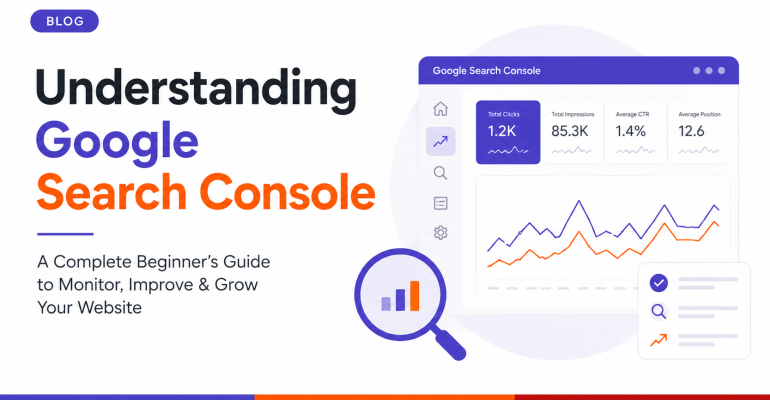
The first thing you’ll notice in Search Console is the Performance tab — a goldmine of actionable data. Here you’ll see:
- Total Clicks: How many times people visited your site via Google Search.
- Total Impressions: How many times your website appeared in search results.
- Average CTR (Click-Through Rate): The ratio of impressions to clicks — a clear indicator of how compelling your content and titles are.
- Average Position: Your pages’ average ranking in search results.
You can toggle between date ranges like the last 7 days, 28 days, 3 months, or even 16 months. You can also compare time periods — for example, September vs October — to track progress and seasonal trends.
As Yoast explains, this report is a reality check for your SEO. If a blog post or service page receives high impressions but few clicks, your title or meta description might need improvement. If you see a steady drop in position, it’s a signal to refresh your content or strengthen internal links.
HubSpot also recommends tracking this report monthly to evaluate content campaigns — particularly when testing new keywords or updating existing posts. In Dubai’s competitive SEO landscape, where rankings fluctuate quickly, this can help you adjust before competitors overtake you.
Level up your SEO game! Watch this complete Google Search Console tutorial to learn powerful strategies for optimizing your content, improving your click-through rate (CTR), and boosting your average position to drive more traffic and rank higher on Google Search.
How AI Overviews and AI Mode Show Up in Search Console Now
Search Console just gained a piece of visibility that SEOs have wanted for two years. On June 3, 2026, Google added a dedicated report inside the Performance section that shows impressions from AI Overviews, AI Mode, and the AI-generated version of Discover. Before this, that traffic sat buried inside your regular Performance numbers with no way to pull it apart.
The new report sits as its own view next to the standard Search results tab. It breaks impressions down by page, country, and device, and lets you look at the data hourly, daily, or monthly. For a business running English and Arabic pages out of Dubai or Abu Dhabi, that country and device split is worth checking early. It shows whether your Arabic content appears in AI Overviews for Gulf searchers as often as your English pages, or whether one language is quietly being left out.
There is a real limit here, and it is worth knowing before you get excited. The report only shows impressions right now. No clicks, no CTR, no query data. So you can confirm that Google’s AI features are picking up your content, but not whether that visibility is sending anyone to your site. A page can rack up thousands of AI impressions a month and still add almost nothing to actual traffic, if the AI Overview answers the question in full without a click.
The data also does not reach back further than mid-May 2026. There is no historical backfill, so whatever your numbers show today is your starting point. If you manage a site for a client in Sharjah or Al Ain, screenshot this monthly from day one. Waiting a year for a baseline you will never get is the more expensive mistake.
Google also added a separate control that lets a site owner block content from appearing in AI Overviews, AI Mode, and AI-powered Discover, effective from June 17, 2026. Opting out does not touch regular search rankings. It does mean giving up any impressions or clicks that AI features might otherwise send your way. For most businesses in the UAE that rely on organic search to bring in enquiries, that trade rarely makes sense. It matters far more to publishers protecting original reporting than to a service business trying to be found.
None of this replaces the fundamentals covered above. Google has been clear that AI Overviews and AI Mode run on the same ranking and quality systems as regular Search. A page that is thin, unoriginal, or missing clear expertise signals was never going to hold a strong Average Position, and it will not show up reliably in the new AI report either. What changes is that you can now see, in one place, whether your site is showing up in both layers of Google Search at once. If you want a proper read on where you stand, that is the kind of audit we run as part of our AI search visibility service.
Keyword and Page Insights You Can Act On
Scroll down and you’ll find the Queries and Pages sections — two of the most valuable reports in all of SEO. They show which search terms bring visitors to your site and which pages receive the most clicks.
This data helps you refine your content strategy. For instance, if “AI courses in Dubai” drives most of your impressions but has a low CTR, update the page title and meta description to make it more click-worthy. Likewise, if your “digital marketing training” page ranks in position 10, small optimizations — like adding structured data or fresh internal links — can push it into the top 5 results.
According to Search Engine Journal, the best use of this data is to connect the dots between queries and pages. If multiple queries lead to one page, ensure that page comprehensively addresses those topics. Google rewards well-organized, topic-driven content that answers related questions in one place.
In Dubai and GCC markets, where users might search in English, Arabic, or even Hindi, analyzing multilingual query performance helps ensure your site performs well across all audiences.
Ready for the deep dive? This comprehensive tutorial walks you through every major feature of the Google Search Console. Learn how to use Google’s own data for advanced keyword research, identify high-impact on-page SEO opportunities, and troubleshoot crucial technical issues related to page indexing, crawling, and site health.
Insights, Top Content, and Trends
One of the newer features inside Search Console is the Insights panel, designed to give a quick overview of your site’s most important trends — no spreadsheets needed. It highlights which content is performing well, which pages are trending up, and which are declining in visibility.
As HubSpot explains, this is especially useful for content marketers and bloggers. You can identify high-performing posts and reinforce them with new internal links, social shares, or repurposed content. Likewise, you can spot underperforming pages early and update them with fresh keywords or visuals before traffic declines further.
Yoast adds that pairing this feature with Google Analytics insights gives you a complete picture — who’s visiting, from where, and how they interact once they land on your site. For teams in Dubai that create multilingual blogs or educational content, this is a perfect way to measure both reach and engagement.
URL Inspection and Indexing Insights
If you’ve ever wondered whether a page is indexed on Google, the URL Inspection tool gives you the answer instantly. It shows when the page was last crawled, whether it’s indexed, and if there are any technical issues like canonical mismatches or “noindex” tags.
If you’ve recently published a new page — for example, a landing page for an AI training program — and want Google to crawl it faster, you can request indexing directly from this panel.
Search Engine Journal notes that this tool is also invaluable for troubleshooting visibility issues. A page might not appear in search results even if it’s technically accessible. Common reasons include duplicate content, low-quality text, or insufficient internal linking. By inspecting the page, you can spot and resolve such issues quickly — saving weeks of waiting for Google to rediscover it.
Indexing Coverage, Sitemaps, and Crawl Reports
Under Indexing, you’ll find detailed information about how your pages are discovered and why some might be excluded. You may encounter messages such as:
- Page with redirect
- Excluded by “noindex” tag
- Duplicate without user-selected canonical
- Crawled – currently not indexed
- 404 not found
These reports might look technical, but they’re among the most important for maintaining a healthy website.
According to Yoast, even small indexing issues can affect rankings. If a key service page isn’t indexed, it won’t appear on Google — no matter how good your content is. Regularly reviewing these reports helps ensure nothing critical slips through the cracks.
You can also submit or update your sitemap.xml file directly within Search Console. HubSpot recommends doing this whenever you add major new sections or multilingual pages. A proper sitemap helps Google discover your new content faster and ensures nothing is left behind.
Discover, Core Web Vitals, and Experience Insights
The Discover section shows how your site performs in Google’s personalized content feed — a key source of mobile traffic in the UAE and globally. If your content is engaging, visually rich, and optimized for mobile, you may appear here even if users aren’t actively searching for your brand.
Core Web Vitals, meanwhile, measure how quickly your site loads and how stable it feels as users interact. Metrics like LCP (Largest Contentful Paint), CLS (Cumulative Layout Shift), and INP (Interaction to Next Paint) help you track user experience quality. According to Google Developers, improving these metrics isn’t just about speed — it’s about building trust and reducing friction.
For local businesses, especially those in competitive markets like Dubai, Core Web Vitals can be the difference between a user staying to explore your services or bouncing away to a faster competitor.
Links and Backlink Auditing
The Links section in Search Console provides insights into how other websites connect to yours — a crucial signal for SEO authority. You’ll find:
- External Links: Websites linking to you.
- Top Linking Sites: Domains that send the most backlinks.
- Top Linking Text: Anchor texts used in backlinks.
- Top Linked Pages: Your most linked internal pages.
Search Engine Journal emphasizes that not all backlinks are created equal. Look for natural, relevant links from reputable sources — not low-quality directories or spam sites. If you notice harmful links pointing to your website (perhaps from a poorly managed SEO campaign in the past), you can use Google’s Disavow Tool to neutralize them.
HubSpot also highlights the importance of internal linking — connecting related pages within your own site. This not only improves navigation but helps Google understand your content hierarchy, distributing authority across your most valuable pages.
From Data to Decision-Making
Numbers in Search Console mean little unless you turn them into action. For example:
- A high-impression, low-CTR keyword? Rewrite your title and meta description.
- A page with declining clicks? Update it with fresh content and visuals.
- An excluded URL? Fix indexing issues or canonical tags.
- Backlinks from spammy sites? Disavow or remove them.
As Yoast wisely explains, the best way to use Search Console is consistently — check your data weekly, make small adjustments, and treat each report as a learning opportunity. Over time, those small fixes compound into measurable growth.
Search Console isn’t just an SEO dashboard. It is your daily feedback loop from Google, and since June 2026 that loop includes a direct line into how AI Overviews and AI Mode treat your pages, not just the classic blue links. For every marketer, business owner, or content creator in Dubai, Abu Dhabi, or anywhere across the GCC, that combination is what makes it worth checking every week rather than once a quarter.
At SEO International, we train professionals, entrepreneurs, and corporate teams across Dubai and the wider GCC on how to read tools like Search Console properly, including the new generative AI reporting. Our AI SEO consulting work starts with exactly this kind of audit, and our courses go further into building content that holds up in both the standard Performance report and the new AI view. If your site has never been reviewed for how it shows up in Google’s AI features, get in touch and we will walk through your data together.