Every Business Runs on AI Now. Are You Ready for the Day It Stops?
Every Business Runs on AI Now. Are You Ready for the Day It Stops?
 Najam Ahmed
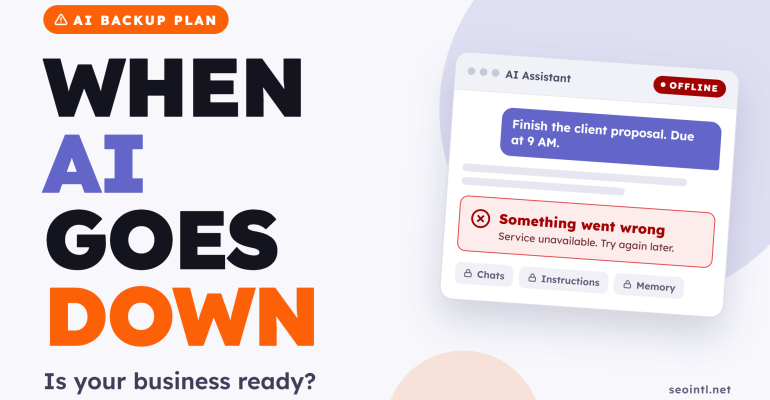
 Proposals, client reports, patient leaflets, ad copy, meeting notes. A growing share of daily work in Dubai, Riyadh and Doha now passes through one AI tool. In two years it has become as essential as Outlook or Excel, and very few businesses have a plan for the day it stops responding.
The Short Answer: For most teams, a few days without their main AI tool would stall real work, and some of what they built inside it would never come back. The fix costs almost nothing. Keep the master copy of your setup outside the tool, and keep a second tool ready.
This post looks at what has already gone wrong in 2025 and 2026, who actually owns the AI work inside your company, and the routine I recommend.
What This Means for UAE & GCC Businesses
Teams across the UAE and Saudi Arabia adopted AI faster than they wrote policies for it. Staff change employers often, many still run company work through personal ChatGPT accounts, and bilingual Arabic and English instructions take far longer to rebuild than English-only ones. A small firm in Kuwait City or Muscat feels a one-day outage harder than a large one does, because there is usually no IT team to call.
What 2025 and 2026 have already shown us
The risk stopped being theoretical some time ago. Three different kinds of disruption have hit AI users in the past eighteen months:
- Outages that switch a tool off for hours
- Quiet changes that remove features or models without much warning
- Account lockouts that affect one user while everyone else carries on
Each one calls for a different kind of preparation.
The outages are the easiest to remember. ChatGPT went offline worldwide on June 10, 2025, and normal service took more than 10 hours to return. Switching tools doesn’t always help either. In September 2026, ChatGPT, Claude and Grok all suffered outages within hours of each other, according to CIO. Some outages also cost data. The OECD’s AI incident tracker recorded that during a major Claude outage on September 29, 2026, some messages sent while the service was disrupted were lost.
Access can also end for reasons unrelated to any technical fault. On June 12, 2026, Anthropic suspended two of its newest Claude models worldwide to comply with US export controls. Access returned on July 1, but teams that had built daily work around those models spent three weeks without them.
The quiet changes worry me more. Between November 6 and 7, 2025, a group of ChatGPT users found their saved memories had been deleted. OpenAI restored some of them, and Analytics Insight reported there was no bulk restore option for the rest. Three months later, on February 13, 2026, OpenAI removed GPT-4o and several older models from ChatGPT’s main model picker. Prompts tuned for those models started behaving differently overnight.
The lockouts are harder to verify, but they keep appearing. In 2026, paying ChatGPT users posted on OpenAI’s community forum about accounts deactivated without a clear explanation. One long-time subscriber wrote that in July 2026 he lost access to more than 30 custom GPTs he used for daily business. These are user reports that OpenAI has not confirmed. They still show what a lockout costs when everything lives inside one account.
Analysts covering enterprise AI have reached the same conclusion. Gartner’s Max Goss told Computerworld in June 2026 that relying on one provider and one model carries risk, and that recent outages make a second option worth having. In the same article, ServiceNow’s chief digital information officer Kellie Romack said people must understand how their AI was built well enough to debug it, back it up and retrace it.
The survey numbers point the same way. IBM’s 2026 study of 1,000 senior executives found that 71 percent consider switching their main AI vendor difficult, and 81 percent expect a seven-day vendor outage to cause severe or critical disruption. The Cloud Security Alliance gives the most practical advice. It recommends ranking each AI-dependent task by business impact and matching it with a fallback, from a manual process for minor work to a tested second AI tool where continuity matters.
Ownership is a separate problem. Harmonic Security reported in May 2026 that contracts, strategies and deal notes kept in personal AI accounts leave the company with the employee. On Claude’s Team and Enterprise plans, members can’t export their own data unless a workspace owner switches that on.
The outage is the smaller risk
I agree with the analysts on the main point. Depending on one AI tool with no fallback is a business risk, and it belongs on the same list as website backups and domain ownership. We made the same argument about who owns your domain, and the logic carries over directly.
I part ways with them on the remedy. Gartner and the security researchers write for enterprises with IT departments and multi-model platforms. A clinic owner in Abu Dhabi or a consultant in Jeddah does not need any of that. One shared document and a second tool they have already tested will cover most of what they need.
The bigger risk, in my view, is that nobody notices what has been lost. An outage gets attention. A deleted memory, a retired model or a departed employee’s personal account does not. When I ask executives in workshops who could rebuild their best custom GPT from scratch, few can say yes.
The most common mistake is treating the export button as a backup. An export works more like a receipt. You can read it, but you can’t restore it into another tool, and Claude doesn’t support importing it into another personal account either. What you can restore is the thinking behind your setup, as long as you wrote it down somewhere you control.
So my rule is simple: write upstream. The master copy of every instruction set, custom GPT, Gem and saved memory lives in a company document. You paste it into the AI tool, and you edit the document first whenever something changes.
What to do this month
None of this needs special software or technical skills. These five steps take an afternoon to set up and about twenty minutes a month after that.
- List every AI tool your team uses and whose account each one sits in. Mark anything held in a personal account.
- Copy every instruction set into a company document. That includes project instructions, custom GPT and Gem setups, and saved memories, stored in Google Drive or OneDrive. If you are still building your setup, our guide to a personal AI workflow shows where these pieces fit.
- Set up a second tool and test it. Load your three most important instructions into Gemini, Claude or ChatGPT, whichever you use least. Once a month, run a real task from your own business through it.
- Request an export from every tool on the first working day of each month. Store the files in a restricted company folder.
- Add AI work to your staff handover checklist, so instruction documents stay with the company when someone leaves.
The second step matters most. If you do only one thing this week, do that.
Where the Gulf adds its own risk
The global advice holds in the GCC, with a few extra checks:
- Company plans: Many UAE and Saudi firms have moved staff to business or enterprise AI plans, where IT controls exports. Confirm with IT that a backup actually exists.
- Data protection: Exports contain client and personal data. The UAE Personal Data Protection Law and Saudi Arabia’s PDPL apply to these files, and the Saudi law reaches non-Saudi firms handling Saudi residents’ data. Never send an export as a WhatsApp attachment.
- Healthcare: DHA, DoH and Saudi MOH rules on patient data come first. Patient identifiers should not go into consumer AI accounts at all.
- Arabic content: Open a sample export and check that Arabic text displays correctly before you rely on it.
For most businesses in the region, the real exposure is staff turnover rather than outages. Keep the instructions in company hands and a lost account becomes an inconvenience instead of a rebuild.
Teams that want to set up these habits properly can join our AI Workshop for Executives. It is built for executives and professionals, and beginners at any level are welcome. If you would like to talk through your own setup first, a short message on WhatsApp is the easiest place to start.