Who Owns Your Domain, and Could Your Website Survive a Hack Tomorrow?
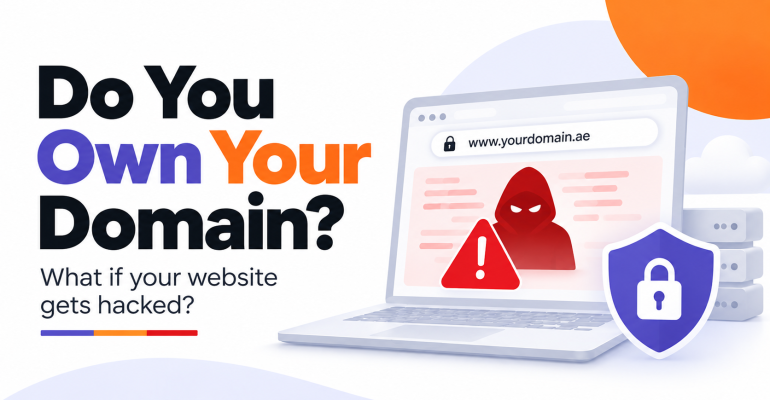
Who Owns Your Domain, and Could Your Website Survive a Hack Tomorrow?
 Najam Ahmed
 More than once, a business owner has come to me for SEO help, and before we touched a single keyword, we found out nobody at the company controlled the domain. A freelancer had registered it years earlier. He had moved on, and the renewal notices were going to an inbox nobody could open.
Your SEO, your Google Ads, your content: all of it sits on two things you may not control. The domain and the server. Lose either one and the months, sometimes years, of investment go with it.
The Short Answer: Register your domain in your own company account with a reputable registrar. Keep two separate backups, a daily one from your host and a weekly one you control, stored off the server. Install a firewall and malware scanner before anything goes wrong, because cleanup always costs more than prevention.
What this means for UAE and GCC businesses
Across the UAE, Saudi Arabia, and the wider Gulf, many business websites are built by freelancers on short contracts, and the person who set up your hosting may have left the region entirely. Country domains add a layer. A .ae domain is registered through registrars accredited by the TDRA’s .ae Domain Administration, and a .sa domain goes through SaudiNIC, backed by a Saudi commercial registration or trademark. If those records list the wrong owner, getting the domain back means paperwork you may not have.
Start with the thing nobody checks: your domain
The domain is the address every ad, every backlink, and every Google Business Profile listing points to. Whoever controls the registrar account decides whether your business stays online.
Check these today:
- Registered to your company, in an account opened with a company email address, not your developer’s personal Gmail.
- Bought from a proper registrar. GoDaddy, Namecheap, or Bluehost for .com. For .ae, an accredited local registrar such as Tasjeel. For .sa, a registrar accredited by SaudiNIC.
- Auto-renew switched on, with a payment card that is still valid.
- Two-factor authentication on the registrar login.
- Transfer lock enabled, so nobody can move the domain without your approval.
- Hosting in your name too. Your developer should get delegated access, never the master login.
The simplest test takes five minutes. Try to log in to your registrar yourself. If you can’t, that’s your answer.
Two backups, because one of them will fail you
Your host’s backup and your own backup protect you from different disasters. If the hosting account gets suspended, hacked, or the provider shuts down, the host’s backups disappear with it.
The setup I recommend:
- Daily automatic backups from your hosting provider, kept for at least two weeks. Most owners have never asked how long those are kept.
- Weekly backups you control. On WordPress, a plugin like UpdraftPlus sends a full copy to Google Drive or Dropbox. Other platforms have their own export options, so check yours.
- One clean baseline copy from a date you know the site was healthy, as Wix’s security guide recommends. If malware sits quietly for weeks, recent backups are infected too.
- A test restore twice a year.
A backup you have never restored is a guess. Find out whether it works now, not during the week of your Ramadan campaign.
Security measures that go in before the hack
Most owners start thinking about security the day Google shows “This site may be hacked” under their listing. By then, rankings are slipping and Google Ads may be disapproving ads that point to a compromised site.
The tools worth knowing:
- Wordfence is a firewall and malware scanner built for WordPress. The free version covers most small business sites and adds two-factor login and limits on repeated password attempts. Premium gets new firewall rules in real time instead of 30 days later.
- Sucuri SiteCheck is a free outside scan. Enter your URL and it reports visible malware and whether your site is on a blocklist. The paid Sucuri platform adds a cloud firewall and has their team remove malware for you.
- Cloudflare sits in front of your site. The free plan absorbs DDoS attacks and hides your server’s real address, and paid plans add a fuller web application firewall.
- Your host’s security add-on. Many hosts sell malware scanning and cleanup for an annual fee. If nobody on your team can clean an infected site, pay for it.
- Basic hygiene. Update WordPress, themes, and plugins. Delete plugins you don’t use. Remove logins for former staff and past agencies.
You don’t need all of them. Wordfence plus Cloudflare’s free plan covers most small WordPress sites.
SSL, briefly
SSL is the padlock and the “https” in your address bar. It encrypts whatever visitors type into your forms.
What to confirm:
- Your host includes free SSL, usually through Let’s Encrypt. You shouldn’t pay extra for a basic certificate.
- Every page loads on https. Chrome labels plain http pages “Not secure,” and form submissions from paid traffic drop.
- Auto-renewal is on. Let’s Encrypt certificates expire every 90 days.
HTTPS has been a small Google ranking signal since 2014. The bigger cost is the warning customers see.
Where the security guides agree, and where they split
I went through three well-known guides: Cloudflare’s checklist, HubSpot’s services roundup, and the Wix tips post. Three companies selling different things land in the same place.
They all agree on:
- Two-factor authentication over passwords alone. Cloudflare puts it first on its list.
- A web application firewall in front of the site.
- Automated backups that someone actually tests.
- Fewer people with admin rights. Cloudflare recommends role-based permissions so an editor can’t change security settings.
The split is about platforms. Wix argues that plugin-heavy systems like WordPress create most of the risk and that hosted builders patch security centrally. HubSpot, citing IBM, notes that a breach takes an average of 277 days to identify and contain, so it favors layered monitoring tools.
The hack I had to clean up twice
This one is personal. Our own site, seointl.net, was hit twice by Japanese keyword spam: pages in Japanese appeared in Google under our domain, selling things we have never sold. I treated the first incident as a cleanup job. The second one taught me that cleanup without hardening only buys time.
After the second cleanup, we changed how the site is run:
- A firewall and malware scanner running permanently, not installed after the fact.
- Unused plugins deleted, and every remaining one kept updated.
- Old admin accounts removed, and two-factor login for everyone left.
- Backups stored off the server, so a compromised hosting account can’t take them too.
I partly disagree with Wix here. For a Dubai clinic or a Riyadh consultancy with five years of WordPress content, moving platforms is expensive and rarely necessary. Hardening what you have is faster.
The most common mistake I see is paying for one cleanup and calling it done. The second most common is letting the developer own everything. Both feel fine until the day they aren’t.
What to do this week
Nothing on this list needs a developer. Each step takes under an hour.
- Log in to your domain registrar yourself. If you can’t, get the domain moved into a company account this month.
- Ask your host three questions: how often they back up, how long they keep backups, and how you restore one. Then set up a weekly backup to cloud storage you control.
- Run your domain through Sucuri SiteCheck and fix anything it flags.
- On WordPress, install Wordfence and turn on two-factor login for every admin user.
- Search Google for site:yourdomain.com and look for pages you didn’t create. Then open the Security Issues report in Google Search Console.
If any step turns up a surprise, deal with that first.
Before you trust a freelancer with your next domain
The advice above works worldwide, but a few things are specific to this region.
- .ae and .sa domains are tied to trade licenses and commercial registrations. Keep the documents in your own files, not your developer’s.
- Seasonal peaks like Ramadan, White Friday, and the end of the financial year are when a site outage costs the most. Test your backups before them, not during.
- Clinics and wellness centers handle patient enquiries through web forms. A hacked form is a data problem as well as a marketing one.
When we run a technical SEO review or an SEO audit, domain control and site health are part of the conversation, because rankings built on a site you don’t control can be taken away. The same goes for firing an agency: get your logins back before you part ways. And the content you wrote for your audience is only as safe as your last working backup.
If you’re not sure who owns your domain or whether your backups would work, send me a WhatsApp message and we’ll check it together.